| ★ wanayoo — archive 1999 http://www.codeforge.com/tutorials/JavaTutorial.html | Nouvelle recherche | Portail wanayoo |
|
|
 |
Let's describe how to work with Java in C-Forge with a simple 'Clock' java applet. Press the "New Project" button - in the Project Manager window. Enter the name of project and uncheck the Use Stable/Work project layout checkbox:
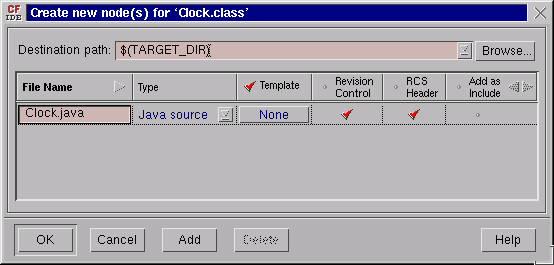
The Create new target(s) dialog should now appear.. Use this dialog to describe the two targets that you will need for your project: one is a Java applet class and the other is an HTML file, from which this class is executed. Fill in the information for the two targets (Clock.class and example.html) as shown in the image below:
When finished, press the OK button. The newly created targets will appear in the 'Dependency Tree':
Now you need to add a source file to the Java class - Clock.java (note:
the class described in this file must have name same as the target). To
add the source file, select Clock.class icon in the dependency tree and
press the In the "Create new source(s)" dialog enter the name of new Java source and press the OK button.
All dependencies are now described and you can start editing your sources. To edit the file, select Clock.java and example.html files and drag them to the Working Area. (You can also use the control-e accelerator to accomplish the same task)
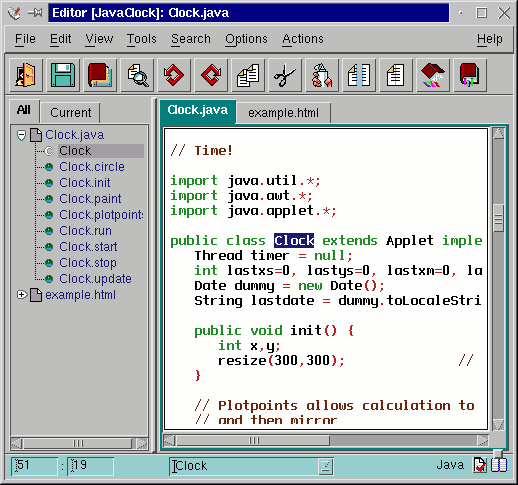
The selected files icons will now appear in the Working Area and empty source files in the Smed Editor. Edit the Clock.java file to contain the text of the file: /usr/java/jdk1.3/demo/applets/Clock/Clock2.java . Make sure to change the name of the class from Clock2 to Clock. If you do not have this file - you probably do not have JDK (Java Development Kit) installed. Please do so since you will need it for further Java development.
Now edit example.html to contain the following text that executes the Clock applet: <HTML> <HEAD> <TITLE>A Clock</TITLE> </HEAD> <BODY> <APPLET code="Clock.class" width=170 height=150> </APPLET> </BODY> </HTML>To build Clock.class, select its icon in the Dependency Tree area and click on the build target buton -  .
(This can also be accomplished by dragging the Class.java icon to the build
drop site). .
(This can also be accomplished by dragging the Class.java icon to the build
drop site).
If your Java environment configured properly, the following log window should appear:
To execute your Clock applet, double click on the example.html icon.
|
|
Copyright © Code Forge, Inc. 1997-1999. All rights reserved.
Last modified: Monday, 26-Jun-2000 02:06:16 MDT


 button
on the toolbar.
button
on the toolbar.